
You signed off on an Anaplan deployment expecting connected planning to solve workforce forecasting. Two quarters in, your HR team still builds headcount models in spreadsheets because the platform speaks finance, not people data. Roles, skills, attrition patterns, and hiring timelines remain disconnected from the budget model that Finance actually uses.
The cost compounds the friction. Anaplan entry deployments run $30,000 to $50,000 a year before implementation, and that is just the license. When workforce-specific questions demand workarounds instead of workflows, the business case for an alternative writes itself.
That is where this list comes in. 7 in 10 business leaders name speed and nimbleness as their primary competitive strategy for the next 3 years, and the right workforce planning tool is a direct lever for that agility. Finance wants budgets tied to headcount.
HR needs to understand roles, skills, and future demand. Transformation leaders need a practical route from strategy to execution. The seven tools evaluated here meet those requirements from different angles, and at least one fits your operating model.
Workforce planning tools vary sharply by architecture: some start from financial constructs, others from people data, and that starting point determines everything about the user experience. Here is how the field breaks down.
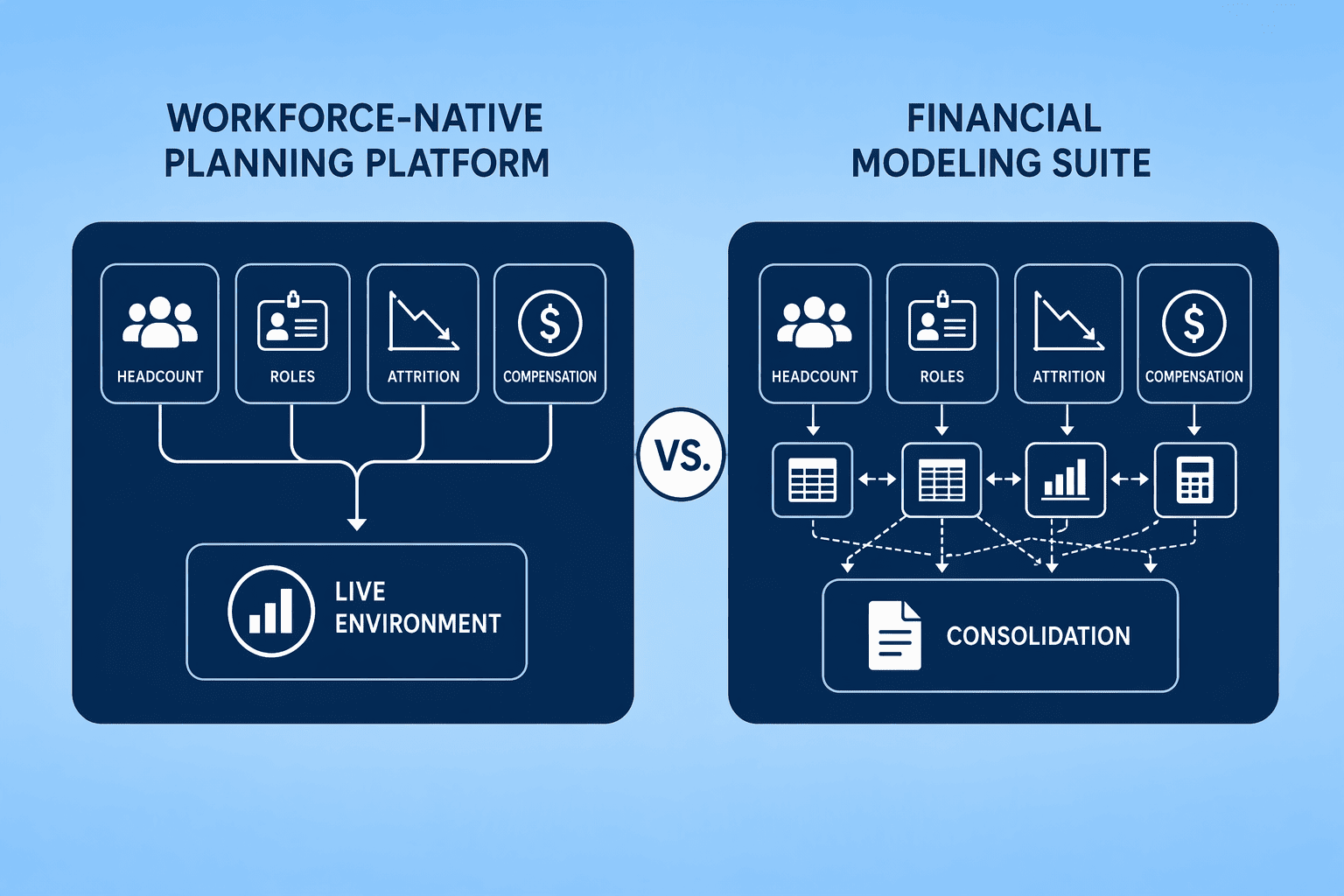
CompUp wins for organizations that need headcount planning built into the tool, not bolted onto a financial modeling engine. It models roles, hiring timelines, attrition, and compensation in one real-time environment. You skip the manual data setup and model-building that broader suites require. At $3 per employee per year, the cost scales with your workforce size, not an enterprise license tier.
Orgvue takes the enterprise design niche when the job is large-scale organizational restructuring and multi-year strategic modeling. Pigment claims the mid-market speed play: deployment in four to twelve weeks for teams that prioritize speed over workforce-specific depth. Your starting point decides the winner.
If the plan begins as a spreadsheet, Pigment fits. If it begins as an org chart, Orgvue does. If it begins with integrated headcount data, CompUp does.
No tool dominates every column, and the right pick depends on where your planning process breaks today.
A fast deployment matters most when the current tool is already failing. Pigment stands out here, with implementations running four to twelve weeks. But speed without workforce-native architecture creates a second migration problem later. Orgvue and Visier both start from people data, yet they diverge sharply: Orgvue is built for org design, while Visier prioritizes analytics and attrition modeling.
Rippling's HRIS-native approach collapses headcount planning directly into the payroll system of record. That gives smaller organizations a unified data advantage, but it trades away the scenario-modeling power a dedicated planning platform offers. Eightfold AI and Legion serve narrower, specialized use cases. Their AI depth is the differentiator a generalist platform cannot match.
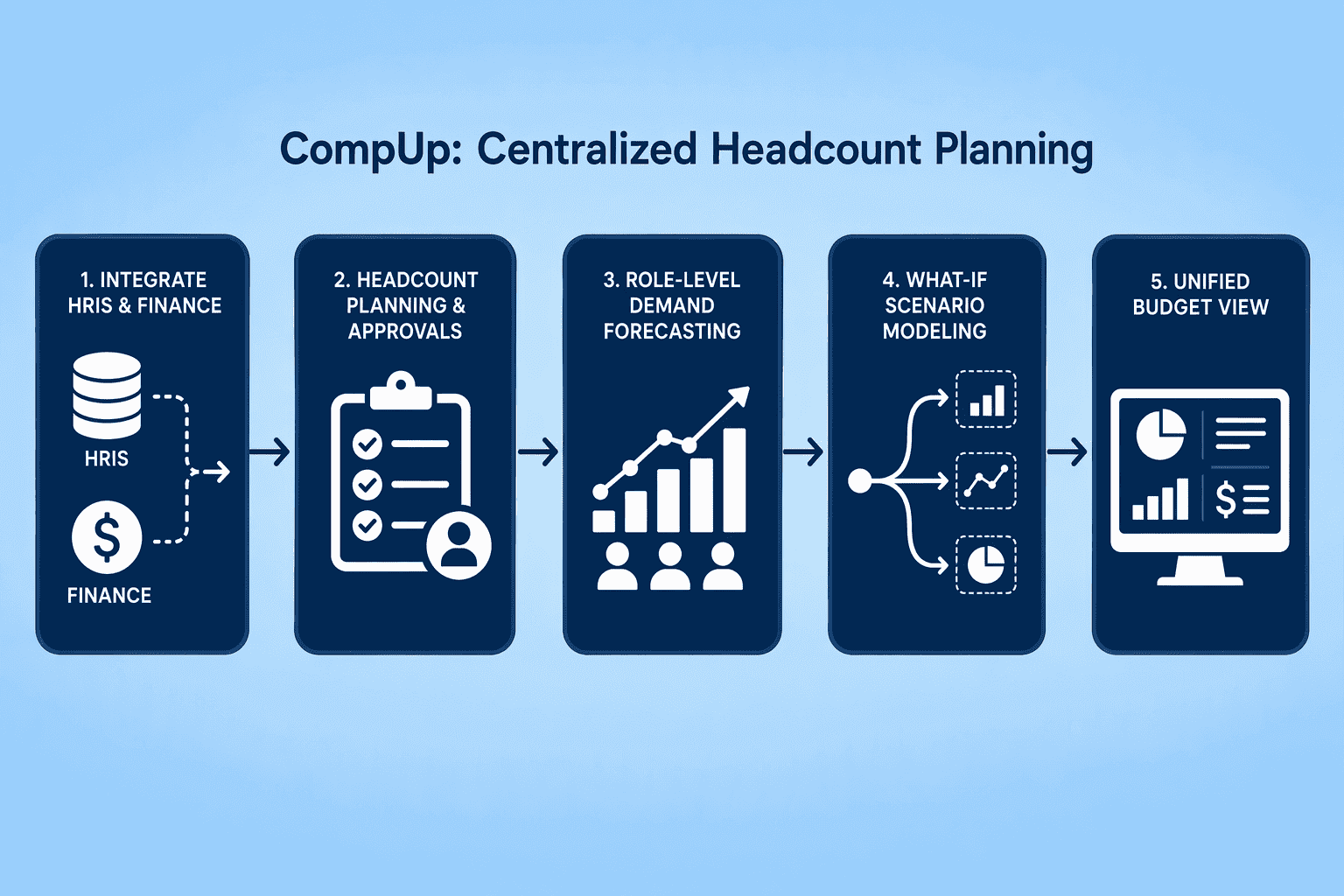
CompUp treats workforce planning as its own product category, not as a module inside a CPM suite. The platform connects headcount approvals, role-level demand forecasting, and what-if scenario modeling, giving every business unit a live view of the budget.
Orgvue is for companies that start workforce planning with org charts, not spreadsheets. The platform models reporting structures, spans of control, and multi-year structural changes. It comes at the problem from organizational design rather than financial planning, which puts it in a different lane than Anaplan. Orgvue holds a G2 rating of 4.4 out of 5 across 16 reviews.
Pricing is custom and quote-based. You won't find public tiers.
This is software for transformation leaders who need a path from strategy to execution. HR and Finance both use it, but the starting point is how the organization should be structured, not what the general ledger says.
Orgvue works when the real question is "what should this organization look like in three years" instead of "how many heads can we afford next quarter." The trade-off: fast headcount modeling and compensation-linked scenarios may need another tool alongside it, or a heavier implementation.
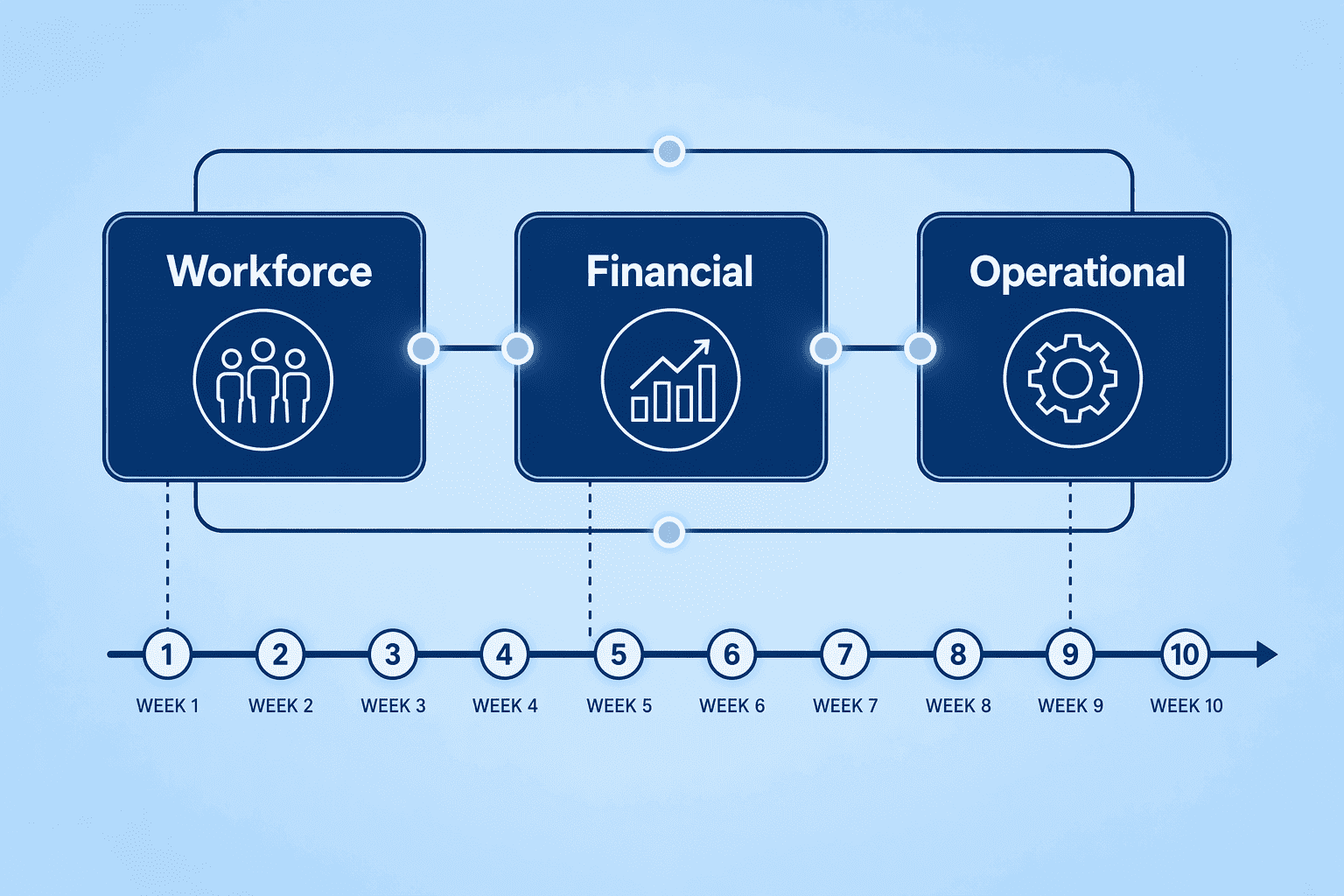
Pigment gets headcount model builds live in four to twelve weeks, a timeline that mid-market teams with an expiring Anaplan contract find hard to ignore. The platform positions itself as a connected planning tool that handles workforce, financial, and operational models in one workspace.
Visier flips the starting point: it begins with attrition rates, tenure curves, skills gaps, and internal mobility patterns rather than a headcount budget. The platform surfaces trends from the workforce data you already have and makes them the foundation of the plan.
Anaplan pushes financial assumptions into a headcount model. Visier pulls signals out of actual employee behavior first. For a company running an active internal mobility program or losing people faster than it can backfill them, that sequence matters.
The analytics answer questions that never show up in a spreadsheet: which teams are bleeding talent, where are managers hiring externally instead of promoting internally, and how long does it take a new hire in engineering to reach median productivity. Two analytics that get heavy use are attrition forecasting and skills adjacency mapping. The former gives operations an early warning on capacity risk; the latter tells talent teams which adjacent roles a given population could move into with minimal retraining, which changes how you cost out internal moves versus external hires.
The trade-off is financial precision. Visier does not build a direct line from a workforce scenario to a P&L line.
Its financial reconciliation layer is thinner than what a dedicated CPM suite or a unified platform like CompUp provides, so the output still needs a handshake between HR analytics and FP&A. That handshake is manageable as long as someone on the planning team owns it explicitly.
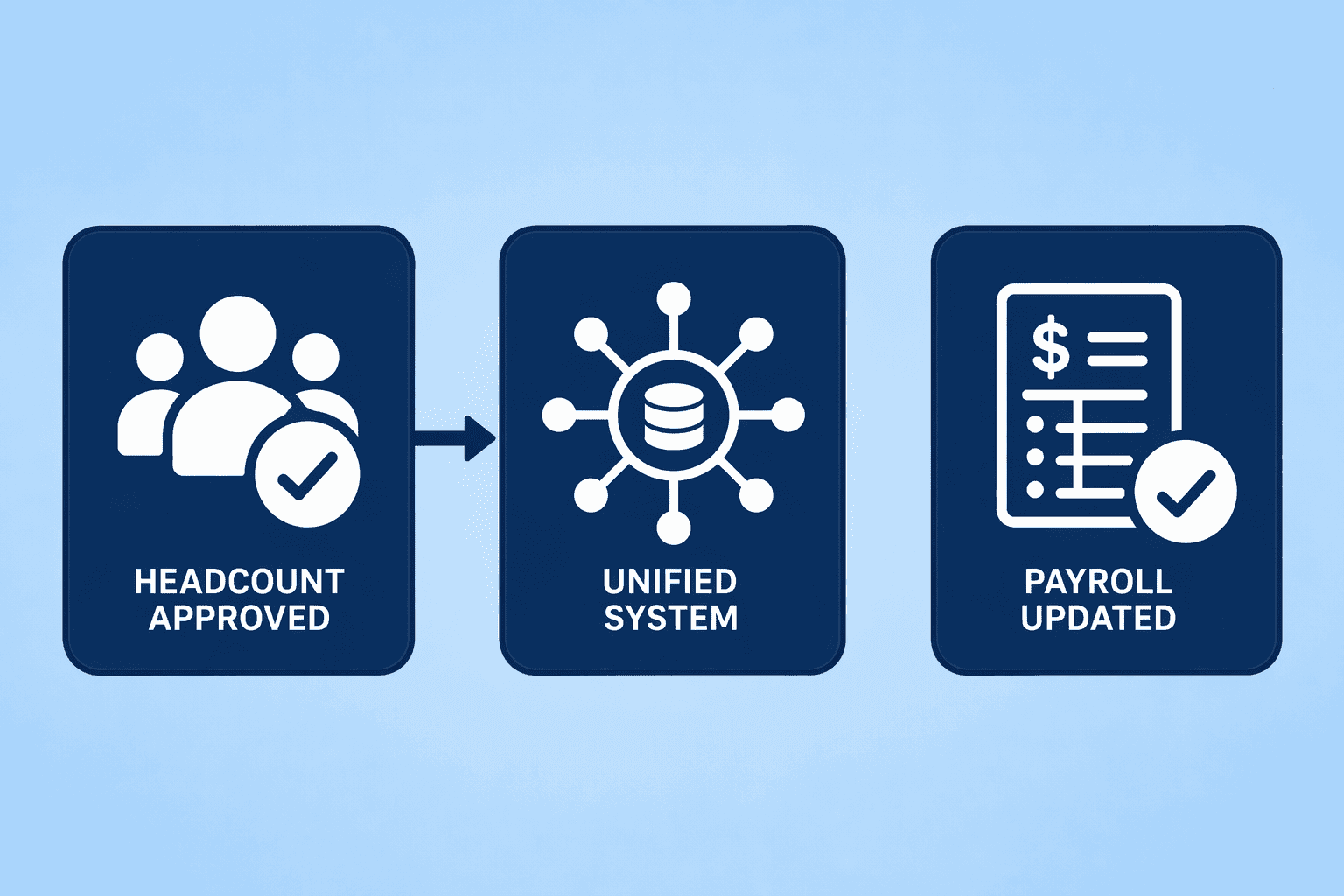
Rippling collapses headcount planning directly into the HRIS and payroll system of record. The platform carries the highest rating in this guide at 4.8 out of 5 across over 12,729 G2 reviews, and its unified architecture means an approved headcount change flows immediately into payroll without a separate integration step.
| Capability | Rippling | Dedicated Planning Tools |
|---|---|---|
| Headcount-to-payroll connection | Native, automatic | Requires integration or manual export |
| Complex scenario modeling | Limited to basic what-if | Multi-dimensional with role, skill, and location variables |
| Single source of truth | HRIS is the system of record | Planning tool maintains a separate data model |
| Org design and spans of control | Basic org chart only | Deep structural modeling and scenario comparison |
The trade-off is depth. Rippling handles headcount approvals and cost tracking cleanly, but multi-dimensional scenario modeling with skills overlays and role-level demand forecasting sits outside its native capability. For organizations where the planning complexity is contained within headcount-and-cost decisions, Rippling's unified data model eliminates the most common source of planning drift: stale payroll records.
Eightfold AI approaches workforce planning through a skills graph, mapping the capabilities your organization has and comparing them against what future work demands. This frame matters because 63% of employers name skill gaps as the single biggest barrier to business transformation through 2030, and headcount alone does not answer the capability question.
Eightfold's platform powers demand modeling that starts from skills adjacency, learning pathways, and talent marketplace dynamics rather than from role-level headcount assumptions. It ingests internal HRIS data, external labor market signals, and skills taxonomies to project where shortages will bite before requisitions are even opened. The output is a talent intelligence layer that can inform broader workforce plans, though Eightfold itself does not manage headcount budgets, compensation planning, or scenario P&L modeling.
The pricing reflects the ambition. Enterprise contracts range from $150,000 to $500,000 or more per year, placing Eightfold in a different investment tier than most tools on this list. Organizations that need skills-graph intelligence as a standalone capability and can fund it separately will find Eightfold unmatched in depth. Most mid-market teams will find the skills-adjacency features in broader platforms sufficient.
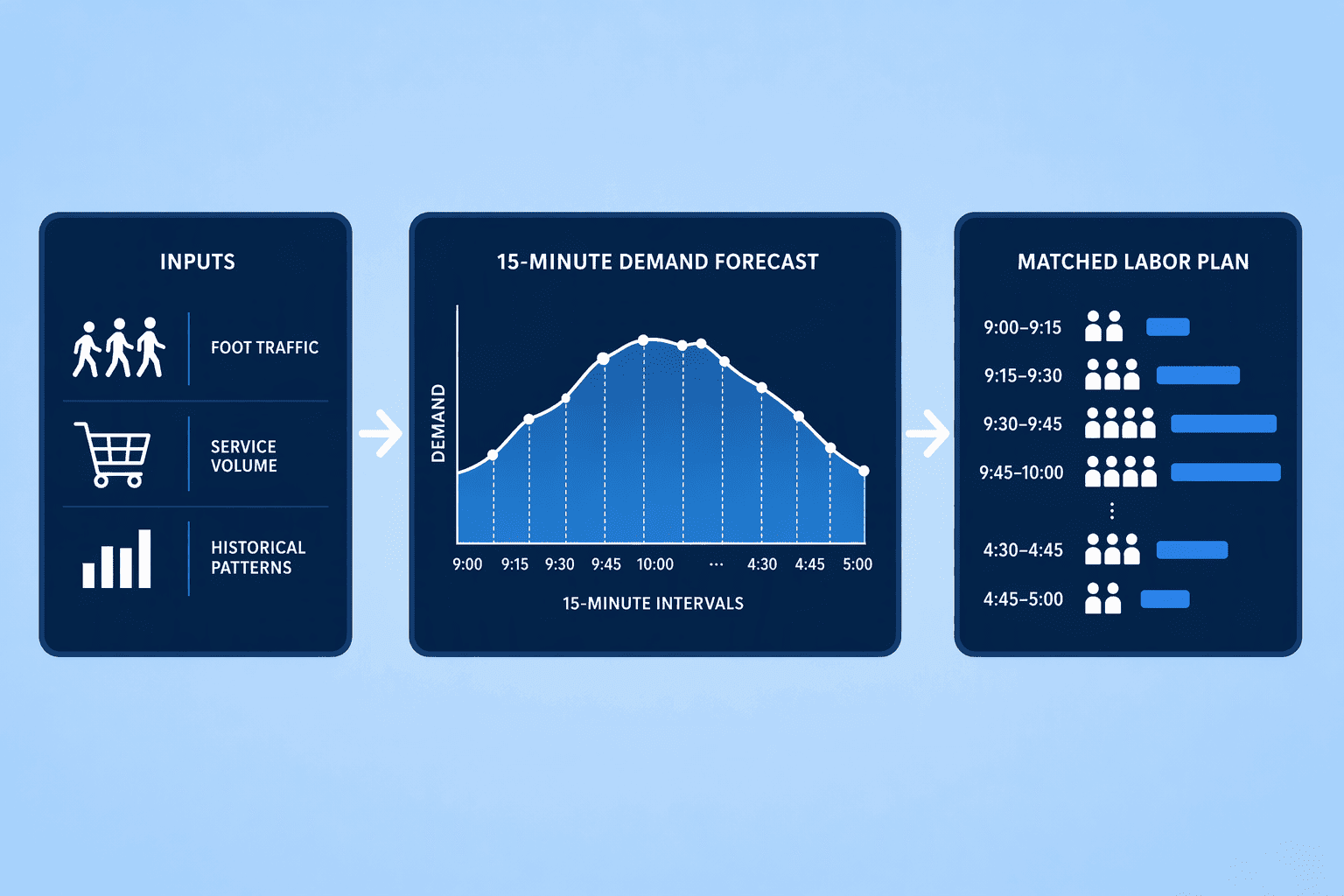
Legion's AI engine forecasts demand at 15-minute intervals, matching labor supply against predicted foot traffic, production schedules, or service volumes. For retail chains, quick-service restaurants, warehouses, and healthcare providers with large hourly workforces, that kind of granularity solves a scheduling problem that quarterly planning platforms were never built to handle.
Legion does not replace a strategic workforce planning platform. It owns the operational end of the funnel: once the quarterly headcount budget is approved, Legion optimizes how hourly workers actually get deployed inside that envelope. Its models learn from historical demand patterns and adjust schedules in near-real time, cutting overstaffing during quiet periods and understaffing during peaks. The result is a labor-cost-efficiency gain a headcount model alone cannot produce.
Organizations with salaried-dominant workforces will not need Legion's shift-level precision. In settings where hourly labor drives both cost and customer experience, the tool works best paired with CompUp, Pigment, or another system that handles the budget-layer decisioning.
Shift forecasts from Legion then reconcile back to headcount budgets and the P&L through that second platform. The two-layer architecture is deliberate and works well when the handshake between operational and strategic planning stays clean.
Anaplan alternatives fall into three groups. CompUp and similar platforms give you a unified headcount tool that CHROs and finance teams can use the day they log in. Enterprise org-design tools like Orgvue handle structural modeling. AI-first engines take on skills analysis and shift scheduling.
CompUp starts from workforce data, not financial models, so you skip the setup cost and spreadsheet drift that kill adoption on a platform like Anaplan. The trial or demo that fits your use case is the obvious next step.
If you are paying for a tool you have outgrown while you run another planning cycle in Excel, you already know the benchmark that matters. A good next step is seeing how CompUp puts this into practice.
The top seven are CompUp (unified AI-native headcount planning), Orgvue (enterprise org design), Pigment (fastest mid-market deployment), Visier (people analytics-led planning), Rippling (HRIS-native headcount and payroll), Eightfold AI (skills-based talent intelligence), and Legion (AI shift forecasting for hourly workforces).
CompUp starts from workforce data, roles, skills, attrition, hiring timelines, rather than financial constructs. It unifies HR, Finance, and TA on one headcount plan, runs AI-powered attrition risk insights, and costs $3 per employee per year. Anaplan requires more manual setup to reach the same workforce-specific depth.
Prioritize real-time headcount and scenario modeling, direct HRIS and finance data integration, skills and role-level demand forecasting, what-if modeling, and plan-vs-actual tracking. Workforce-native tools embed people analytics from the start; broader CPM suites require heavier configuration to match that insight.
Anaplan entry deployments run $30,000 to $50,000 per year before implementation costs. CompUp starts at $3 per employee per year. Most enterprise alternatives, including Orgvue and Eightfold AI (which runs $150,000 to $500,000+ annually), use custom quote-based pricing rather than published tiers.
Eightfold AI leads with skills-graph-based demand modeling at the enterprise tier. Legion excels at AI-automated shift forecasting down to 15-minute granularity. CompUp provides AI-powered attrition risk insights and workforce supply-demand analysis embedded in its headcount planning platform.
Dedicated tools start from people data, roles, skills, attrition, and build workforce scenarios natively. Broader CPM suites such as Anaplan or Planful start from financial constructs and adapt for workforce use, typically requiring manual data setup to achieve the same workforce-specific insight and scenario accuracy.
Community Manager (Marketing)
As a Community Manager, I’m passionate about fostering collaboration and knowledge sharing among professionals in compensation management and total rewards. I develop engaging content that simplifies complex topics, empowering others to excel and aim to drive collective growth through insight and connection.
Revolutionizing Pay Strategies: Don't Miss Our Latest Blogs on Compensation Benchmarking